
How to Opt Out of Intelius, TruthFinder, Instant Checkmate & US Search (2026)
One free request in the PeopleConnect Suppression Center hides your background report on all four sites
Updated
Intelius, TruthFinder, Instant Checkmate, and US Search look like four competing people-search sites, but they all belong to one company: PeopleConnect. They sell "background reports" that can include your age, current and past addresses, phone numbers, email addresses, relatives, and court records, all pulled from public records.
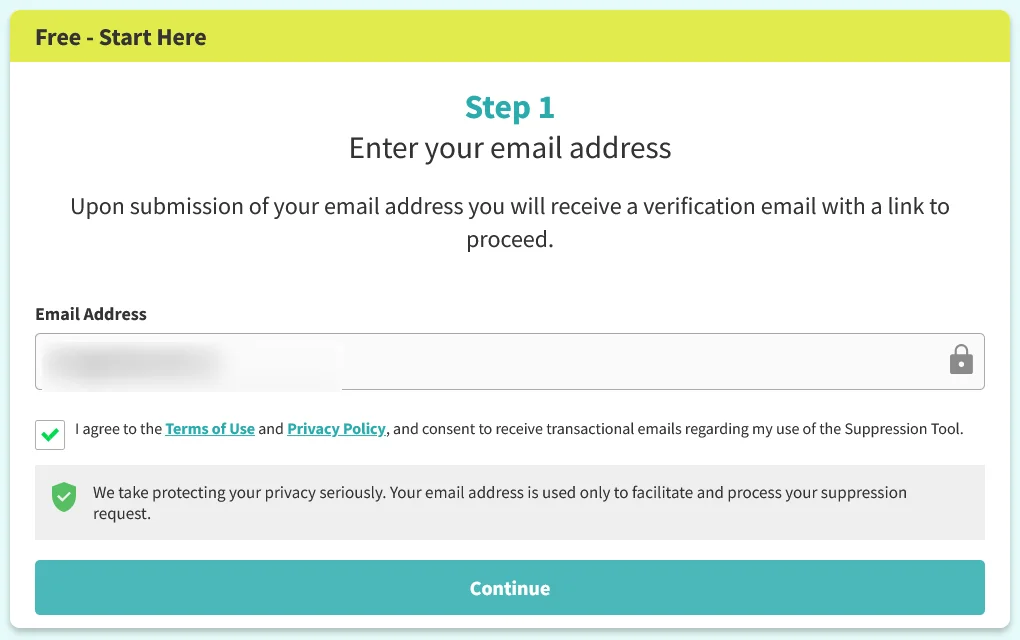
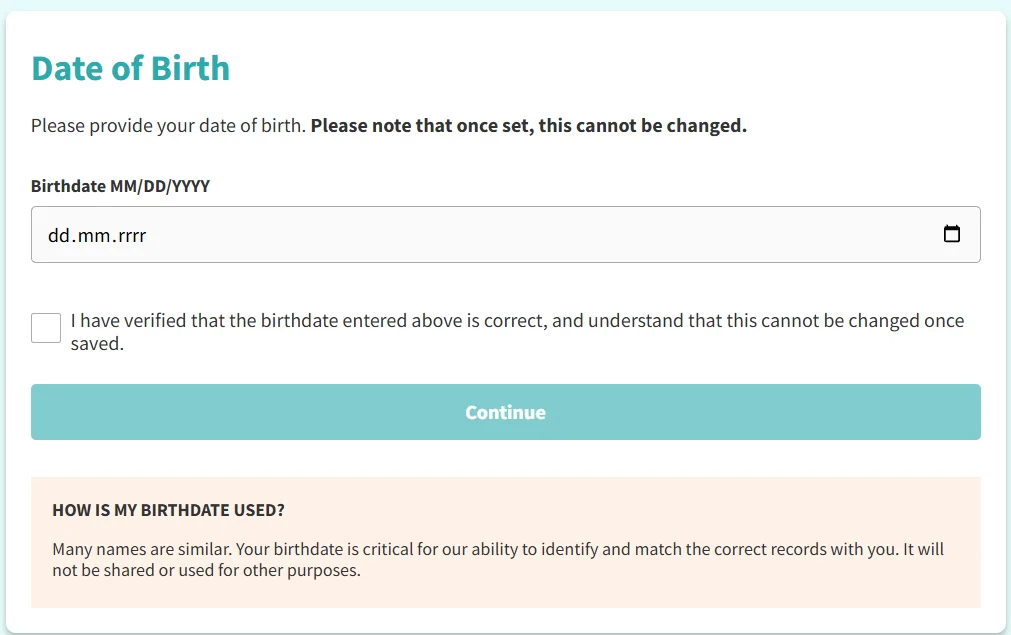
Because they share an owner, you don't have to opt out four times. PeopleConnect's free Suppression Center hides your report on every people-search site in the group with a single request. It takes a little more work than most opt-outs: PeopleConnect wants your date of birth and a code sent to a phone number or email address that appears in your report. Here's how to get through it.
PeopleConnect Opt-Out at a Glance
OpenSuppression CenterHow we checked this guide: On November 21, 2026, we signed in to PeopleConnect's Suppression Center ourselves, confirmed the email link, and went through the date-of-birth and name screens, stopping before the record search. We read the remaining screens of the tool and compared them with PeopleConnect's Terms of Use (last revised November 24, 2025) and Privacy Policy (last revised September 30, 2026). We didn't suppress anyone else's report.
Which Sites One Request Covers
PeopleConnect's terms say the Suppression Tool manages your background report on "various third-party people search websites in the PeopleConnect family," which "currently include TruthFinder.com, InstantCheckmate.com, Intelius.com, USSearch.com, as well as additional affiliated websites." There's no separate form on each site: when we opened Intelius's own opt-out page (intelius.com/opt-out), it sent us straight to the same Suppression Center.
| Site | Covered by the Suppression Center |
|---|---|
| Intelius | Yes |
| TruthFinder | Yes |
| Instant Checkmate | Yes |
| US Search | Yes |
| Classmates.com | No — PeopleConnect also owns it, but the terms exclude it |
How to Use the PeopleConnect Suppression Center, Step by Step
Don't Delete Your Suppression Center Account
The Suppression Center has a Privacy Center with a Delete My User Data button. It sounds like the final step, but it's the opposite. PeopleConnect warns that "if you choose to delete your user data, we must delete your any and all suppressions associated with your user," and that "to suppress your information from appearing on the people search websites, you must maintain your user information on file with the Suppression Center."
In other words, PeopleConnect needs to remember who you are in order to keep hiding you. Leave the account in place for as long as you want the report hidden.
If You Can't Verify
Many people get stuck at step 5 because their report lists an old phone number or an email address they no longer have. You have two options:
- Try other contacts. Add every email address and phone number you've ever used in the identity editor. PeopleConnect says that "the more emails or phone numbers you can verify, the better we can find your Background Report matches."
- Ask PeopleConnect for help. If none of the contacts in the report are yours, the tool links to
[email protected]with the subject line "Unverified match suppression request." PeopleConnect's support team "can attempt to validate your identity using other means." Include the report ID shown in the tool.
A report marked Not Suppressible means the tool couldn't link it to you: either the date of birth doesn't match, or none of its contacts are verified. It doesn't mean the report can never be hidden.
What the PeopleConnect Opt-Out Doesn't Remove
- Phone, address, and email lookups. PeopleConnect says that even after you suppress your report, your name and other information "may continue to appear" in phone, address, or email reports when someone searches by those details, as a relative or associate in other people's reports, and on registered sex offender lists.
- Classmates.com. The terms say the tool doesn't apply to "other sites in the PeopleConnect family, including Classmates.com."
- The original records. "Using the Suppression Tool does not affect whether the information will be available from other sources," including the public records PeopleConnect gets it from.
- Other people-search sites. Spokeo, Whitepages, BeenVerified, and others aren't part of PeopleConnect and need their own requests.
- Search engine copies. Google can show an old report page for a while. Once it's gone from the site, use Google's Remove Outdated Content tool.
PeopleConnect also says the tool is offered "at our discretion" and "provides no assurances" that it can remove everything associated with you. In practice, that's why it's worth checking again every few months.
If Something Goes Wrong
| Problem | What to Do |
|---|---|
| The sign-in email doesn't arrive | Check your spam folder for an email from PeopleConnect with a VERIFY EMAIL button, then request a new link. Always use the most recent email; links expire after 15 minutes. |
| "Something went wrong, please try again" after Continue | If you use a VPN, turn it off for a moment: in our test, the error appeared on a VPN connection and Continue worked as soon as we switched the VPN off. Otherwise, reload the page or try another browser. |
| "This link is no longer valid" or "already been used" | Request a new link on the sign-in page and open it right away, in the same browser. |
| "We were unable to locate any results" | Add every name you've used (maiden name, nickname, a version without your middle name). If there's still nothing, you may not have a PeopleConnect report, or it was already suppressed. |
| You entered the wrong date of birth | It can't be changed in the tool. Email [email protected] and explain the mistake. |
| None of the phone numbers or emails in the report are yours | Email [email protected] with the subject "Unverified match suppression request" and the report ID. See If You Can't Verify. |
| The report still shows up after a few days | Sign in again and check that the report is set to Suppressed. A second report under another name or old address may need its own suppression. If you still see your data, PeopleConnect asks you to email [email protected] "so we can assist you." |
Judges, Police Officers, and Other Protected People
If you're an active or retired judge, law enforcement officer, public official, or another protected person, and your state has a law letting you remove your data from sites like these, PeopleConnect has a separate route. Email [email protected] with the subject line "Judiciary and Other Legally Protected Person Request" and include:
- Your full name, date of birth, city and state, phone number, email address, and any other details you want suppressed
- The law you're making the request under
- Your protected status (for example, federal judge or law enforcement officer)
- The same details for any other protected person in your household, if the law allows it
Your Other Privacy Rights With PeopleConnect
The Suppression Center hides your background report, which PeopleConnect treats as "public data." Separately, the Privacy Center inside the tool lets you deal with the user data PeopleConnect has about you as a visitor: what you entered in the tool, your visits, and your IP address.
- Get a copy. Click Request a Copy of My Data and confirm by email. PeopleConnect sends a download link that works for 7 days.
- Correct or delete it. You can correct your details in the identity settings. Deleting your user data also removes your suppressions (see above).
- Authorized agents. Someone else can make a request for you with your signed written permission or a power of attorney.
For 2025, PeopleConnect reports receiving 33,513 requests to delete user data and 10,919 requests to know, with a median response time of under one day. It denied 6,910 deletion requests, mostly, it says, because the person didn't verify their identity. These figures cover user data, not suppressed reports.
Contact: [email protected], or by mail at PeopleConnect, 2261 Market Street, STE 46169, San Francisco, CA 94114.
Live in California? The state's free DROP platform sends one deletion request to every registered data broker at once. Do it in addition to the Suppression Center, not instead of it.
TruthFinder, Instant Checkmate, and the FTC
In 2023, TruthFinder and Instant Checkmate agreed to pay $5.8 million to settle Federal Trade Commission charges. The FTC said the sites misled customers into thinking the people they searched had criminal records, and that they acted as consumer reporting agencies without following the Fair Credit Reporting Act, despite disclaimers saying they weren't (FTC). It was Instant Checkmate's second FTC settlement; the first was in 2014.
If a report about you shows something false, such as a criminal record that isn't yours, suppressing it is usually quicker than trying to get it corrected.
After PeopleConnect: Where to Opt Out Next
PeopleConnect covers four sites, but there are many more. These are the next ones to tackle:
- Spokeo — email link, 24–48 hours
- ThatsThem — one form, no verification link, typically 72 hours
- Whitepages — phone call, up to 72 hours
- BeenVerified — email link, about 24 hours
- TruePeopleSearch and FastPeopleSearch — email link, up to 3 days
- MyLife — email code, median 5 days
- Nuwber — email link, up to 48 hours
- PeopleFinders — email link, up to 3 days
- CyberBackgroundChecks — email link, up to 3 days
- FamilyTreeNow — same steps as TruePeopleSearch, up to 3 days
To see what your IP address and internet provider already reveal, run the free Data Broker Exposure Report. It's also worth checking whether your email has shown up in a data breach — breached data is another common source for people-search profiles.
Don't Want to Repeat This Every Few Months?
The Suppression Center works, but PeopleConnect is only one company, and new public records can create new reports. Paid removal services check people-search sites for you and keep re-submitting opt-outs. If that's worth it to you, see the comparison of Optery, Incogni, and DeleteMe — what each one covers and what it costs.
Frequently Asked Questions
Does one opt-out remove me from Intelius, TruthFinder, Instant Checkmate, and US Search?
Is the PeopleConnect Suppression Center free?
Why does PeopleConnect want my phone number or email?
[email protected] and ask for help verifying your identity another way. More on this.Should I delete my Suppression Center account afterwards?
Does suppressing my report remove my name everywhere on these sites?
Does the Suppression Center cover Classmates.com?
I'm a judge or police officer. Is there a faster way?
[email protected] with the subject line "Judiciary and Other Legally Protected Person Request". What to include.