
How to Opt Out of BeenVerified (2026)
Remove yourself from BeenVerified for free — one email link, usually done in about 24 hours
Updated
BeenVerified is a people search and background check site. Its subscribers look up people by name, find out who called them, research property and vehicles, and find social media profiles. Its records cover people in the US only, and the person being searched isn't notified.
The opt-out itself is simple and free. Two things catch people out: the online form removes only one record, and it covers only the people search. Property Search and Contact Search have their own opt-out forms. This guide covers all three, plus PeopleSmart, which runs the same contact search under its own name.
BeenVerified Opt-Out at a Glance
Opt out ofBeenVerifiedHow to Remove Yourself From BeenVerified, Step by Step
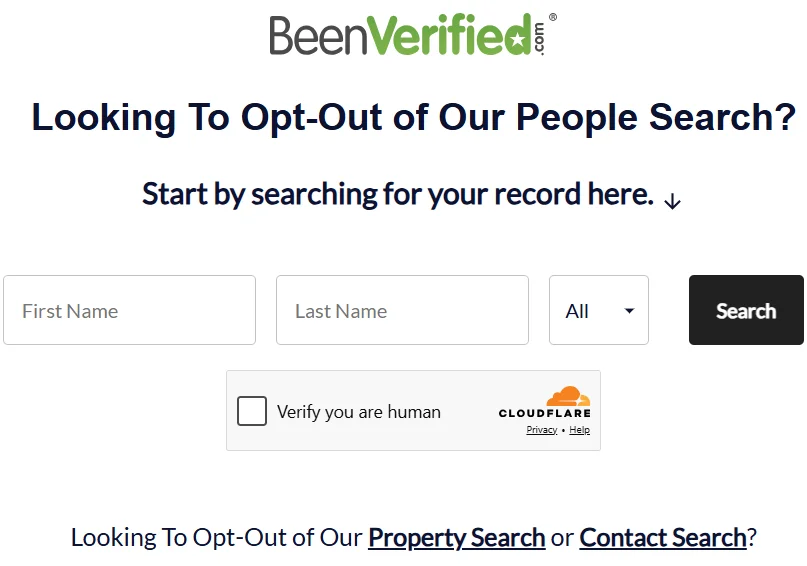
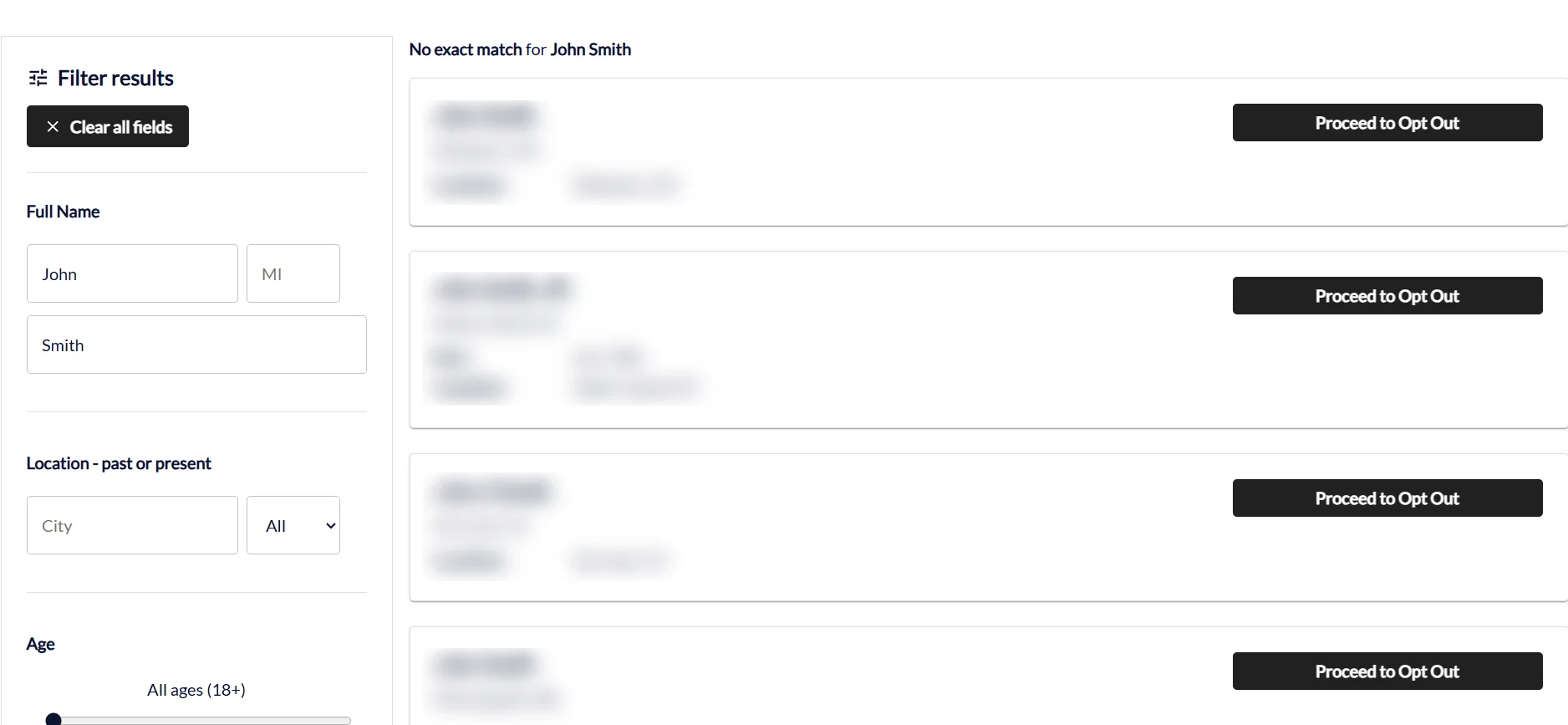
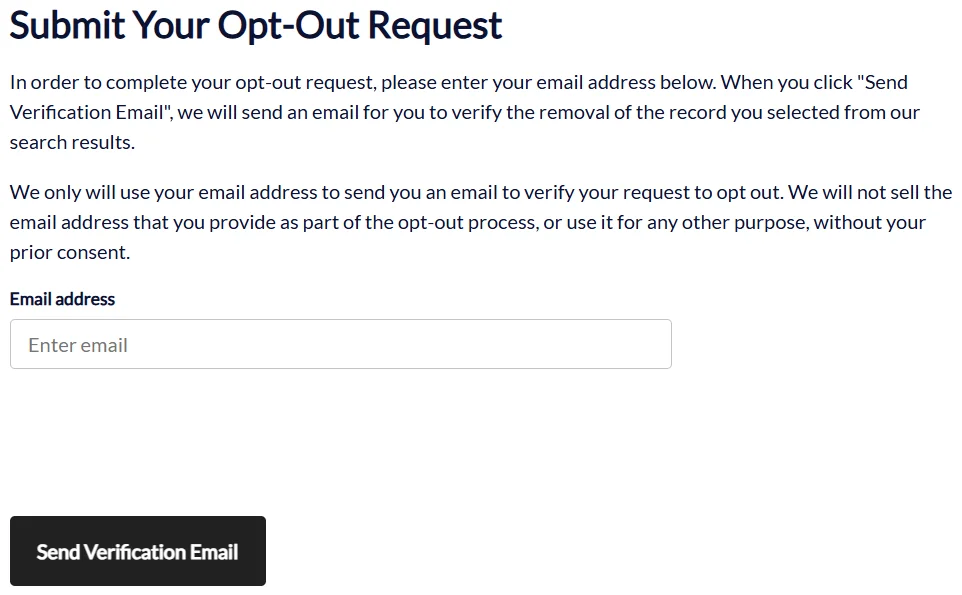
Found More Than One Record? Email the Rest
BeenVerified builds its records from several public and private databases. When a new record about you is different enough from the old one (a different spelling, initials, or addresses), BeenVerified can't match them, and you end up with more than one record.
The online form won't help with those. To prevent fraud, BeenVerified lets you remove only one record online. For the others, email [email protected]. It helps to include:
- Your full name and the city and state you live in
- The details shown on each extra record (age, birth month and year, and locations), so BeenVerified can find them
- That you've already removed one record through the online form
Before you write, search a few more times so you catch everything at once: try your name with and without a middle initial, previous last names, and each state where you've lived.
Property Search and Contact Search Need Their Own Opt-Outs
BeenVerified's opt-out FAQ says that even after you opt out of People Search, your name might still appear in results from its other search services. Two of them have their own opt-out forms, linked at the bottom of the people search opt-out page ("Looking To Opt-Out of Our Property Search or Contact Search?"):
| Opt-out | What you search with | What it covers |
|---|---|---|
| People Search | First name, last name, state | Your people search record: name, age, past addresses |
| Property Search | Address (number, street, city, state) | A property record found by its address |
| Contact Search | First and last name, job title and company (optional), city, state | Contact records tied to your name, job, and employer |
Each form starts with its own search and "Verify you are human" check. If your home address or work details matter to you, run all three.
PeopleSmart Runs the Same Contact Search
PeopleSmart used to be a people search site. Today it sells business contact data to sales and recruiting teams: names, job titles, employers, and work emails and phone numbers. Its privacy policy says the site is operated by The Lifetime Value Co., the company behind BeenVerified.
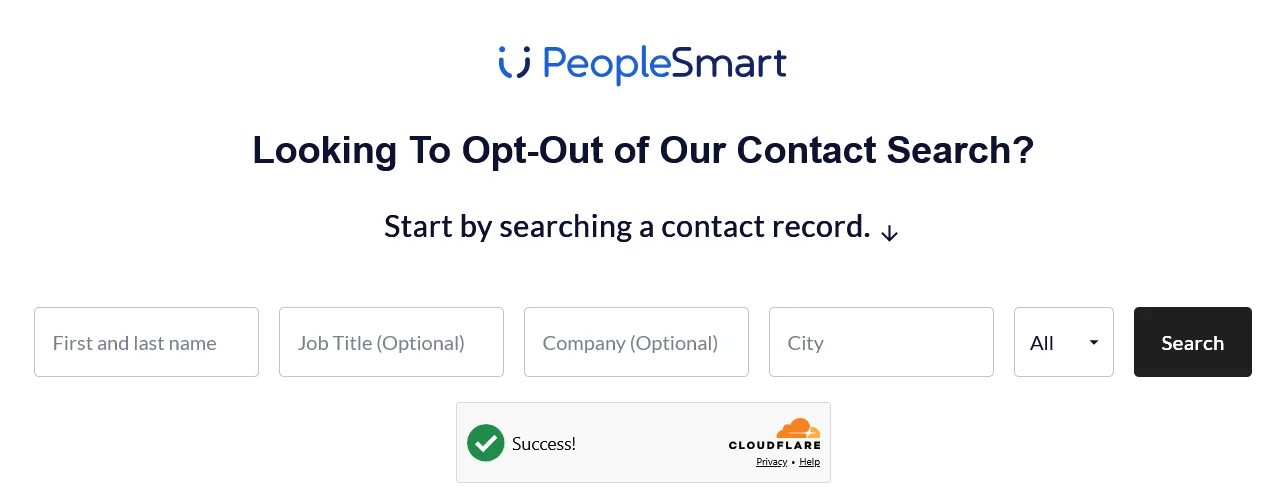
Its opt-out is BeenVerified's Contact Search opt-out with a different logo: the same search fields, the same filters, and the same Optout button and email verification. When we searched the same name on both sites in November 2026, many of the same contact records came up. Neither site says that opting out on one removes you from the other, so if you find yourself on PeopleSmart, opt out there too:
- Go to PeopleSmart's opt-out search. Enter your first and last name and your city, add a job title or company if you like, pick your state, wait for the "Verify you are human" check, and click Search.
- Find your record and click Optout. Narrow the results with the filters on the left (job title, company, location, seniority, industry) if your name is common.
- On Submit Your Opt-Out Request, enter your email, complete the "I am human" check, and click Send Verification Email.
- Click the link in the email. PeopleSmart says the record is removed the next time its servers refresh, usually within 24 hours.
You don't need an account and it's free. Judges, prosecutors, and law enforcement officers covered by Daniel's Law, and people outside the US, can email [email protected] instead. If PeopleSmart is emailing you marketing, that's separate: use the unsubscribe link in the email.
What the BeenVerified Opt-Out Doesn't Remove
- Your data on other websites. BeenVerified says it can only remove records from its own site, and that it didn't create the data. Start with the Spokeo, Whitepages, and InfoTracer opt-outs, then work through the full data broker opt-out guide.
- Public records. Court, property, and other public records stay with the offices that publish them. The opt-out removes only BeenVerified's copy.
- New records created later. If a data partner sends BeenVerified a new record it can't match to the one you removed, it can show up in search results. Email those to
[email protected]. - Search engine copies. Google can keep showing an old BeenVerified page for a while. Once the record is gone from the site, you can speed things up with Google's Remove Outdated Content tool.
- Your paid account. If you subscribe to BeenVerified, cancel it separately: log in and go to My Account → Edit My Account Information → Cancel My Account, or call 1-844-823-2869 with your 9-digit membership ID. If you subscribed in the iPhone or Android app, cancel in your App Store or Google Play subscriptions. Deleting the app doesn't cancel it.
If Something Goes Wrong
| Problem | What to Do |
|---|---|
| Clicking Search does nothing | Check the "Verify you are human" box first and wait for it to show a checkmark. If it keeps failing, turn off ad blockers or strict tracking protection for the page, or try another browser. |
| Your record isn't in the results | Set the state to All, then use the filters: middle initial, city, state, and age. Try previous last names and spelling variations. |
| The verification email doesn't arrive | Check your spam and promotions folders. If it's not there, go through the opt-out again, or email [email protected]. |
| The record still shows after 24 hours | Make sure you got the second email confirming the opt-out. Clear your browser's history and cache and search again. If it's still there, email [email protected]. |
| You have more than one record | Remove one online, then email the rest to [email protected]. See Found More Than One Record? |
| Your record came back after you opted out | It's usually a new record BeenVerified couldn't match to the old one. Email [email protected] and ask for it to be removed too. |
Other Ways to Request Removal
- Judges, prosecutors, and law enforcement. Covered persons under Daniel's Law (current, former, and retired state or federal judges, prosecutors, and law enforcement officers, and family members in the same household) can skip the online form and email
[email protected]. Include a screenshot of or link to your record, or your full name, date of birth, city and state, and email address. - Outside the US. If you live in another country, BeenVerified asks you to send a data subject request to
[email protected]with your full name and the information you want removed.
Live in California? The state's free DROP platform sends one deletion request to every registered data broker at once. Do it in addition to the BeenVerified opt-out, not instead of it.
After BeenVerified: Where to Opt Out Next
BeenVerified is only one site. If you want your address off the first page of Google, these are the next ones to tackle:
- Spokeo — email link, 24–48 hours
- ThatsThem — one form, no verification link, typically 72 hours
- Whitepages — phone call, up to 72 hours
- InfoTracer — no verification, 24–48 hours
- PrivateRecords — email link, up to 45 days
- Nuwber — email link, up to 48 hours
- MyLife — email code, median 5 days
- TruePeopleSearch and FastPeopleSearch — same email-link process, up to 3 days
- PeopleConnect Suppression Center — one request covers Intelius, Instant Checkmate, TruthFinder, and US Search
- PeopleFinders — email link, up to 3 days
- CyberBackgroundChecks — email link, up to 3 days
- FamilyTreeNow — same steps as TruePeopleSearch, up to 3 days
To see what your IP address and internet provider already reveal, run the free Data Broker Exposure Report. It's also worth checking whether your email has shown up in a data breach — breached data is another common source for people-search profiles.
Don't Want to Repeat This Every Few Months?
The free form works, but BeenVerified isn't the only site, and new records can bring your listing back. Paid removal services check people-search sites for you and keep re-submitting opt-outs. If that's worth it to you, see the comparison of Optery, Incogni, and DeleteMe — what each one covers and what it costs.
Frequently Asked Questions
Is the BeenVerified opt-out free?
How long does it take to be removed from BeenVerified?
Do I have to confirm my BeenVerified opt-out by email?
Can I remove more than one record from BeenVerified?
[email protected] and ask them to remove the rest. What to include.Does the BeenVerified opt-out cover property and contact searches?
Is PeopleSmart part of BeenVerified?
What does BeenVerified do with the email I give it?
Can my information come back on BeenVerified after I opt out?
[email protected] to have it removed too.