
How to Opt Out of InfoTracer (2026)
Remove yourself from InfoTracer for free — no account, no ID, no verification link
Updated
InfoTracer is a public records and background check site run by InfoPay, Inc. of Boston, Massachusetts. Its searches cover criminal and arrest records, court records, marriages and divorces, property, phone numbers, email addresses, usernames, and "deep web" results, and it sells unlimited access as a subscription, with premium reports at extra cost.
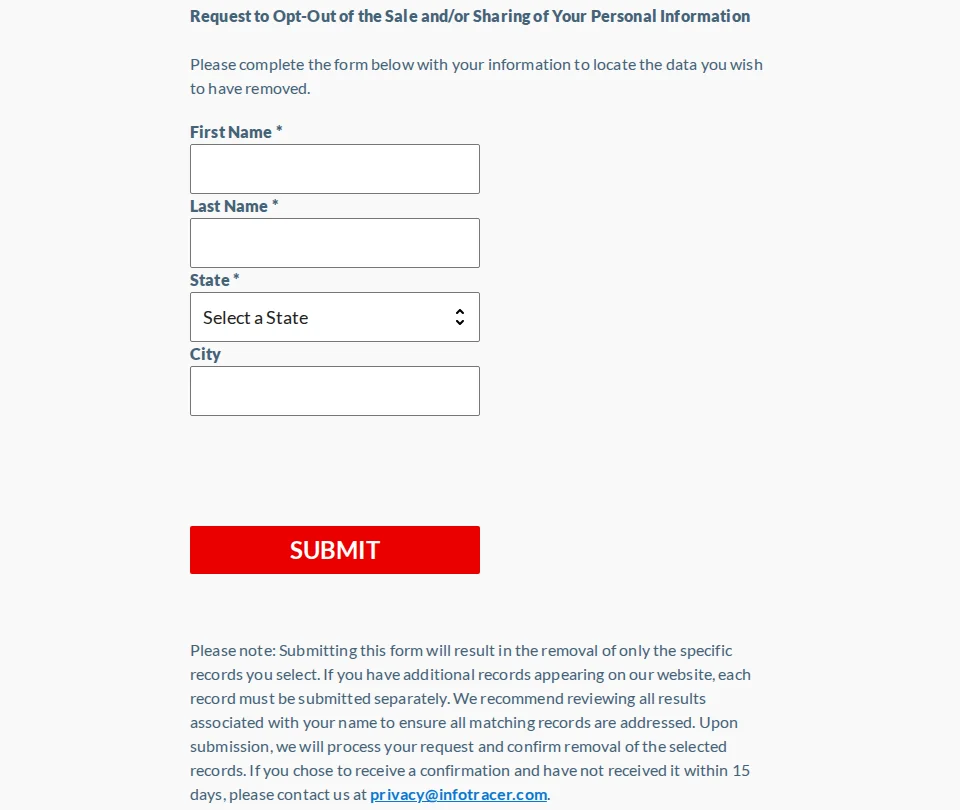
Removing yourself is free and quick once you find the right form. That's the hard part: the Opt Out link in the site footer doesn't lead to a removal form. The form is on the "Do Not Sell or Share My Personal Information" page instead. Here's where to go and what to click.
InfoTracer Opt-Out at a Glance
Opt out ofInfoTracerHow to Remove Yourself From InfoTracer, Step by Step
[email protected].Why the "Opt Out" Link Doesn't Remove Anything
InfoTracer's footer has two privacy links, and they're easy to mix up:
| Opt Out (Your Privacy Choices) | Do Not Sell or Share My Personal Information | |
|---|---|---|
| Has a removal form | No | Yes |
| What's on the page | An explanation of your state privacy rights, email addresses for special requests, and a link to a general privacy request form | A search form that finds your records and removes the ones you select from search results |
| Who can use it | Mainly residents of states with a privacy law | Anyone |
| How fast | Up to 45 days for privacy law requests | Usually 24–48 hours |
The Your Privacy Choices page does have a "HERE" link at the bottom to a Privacy Rights Form run by TrustArc, where you can send a deletion request under your state's privacy law. That route asks for your full name, email, state of residence, and a description of the request, and InfoTracer may ask more questions to verify you. For removing a listing, the search form above is faster and works in every state.
About Global Privacy Control: InfoTracer says it treats a Global Privacy Control signal from your browser as a request to opt out of the sale or sharing of your information and a rejection of non-essential cookies. That's useful, but it doesn't remove your records from search results.
If You Have More Than One Record
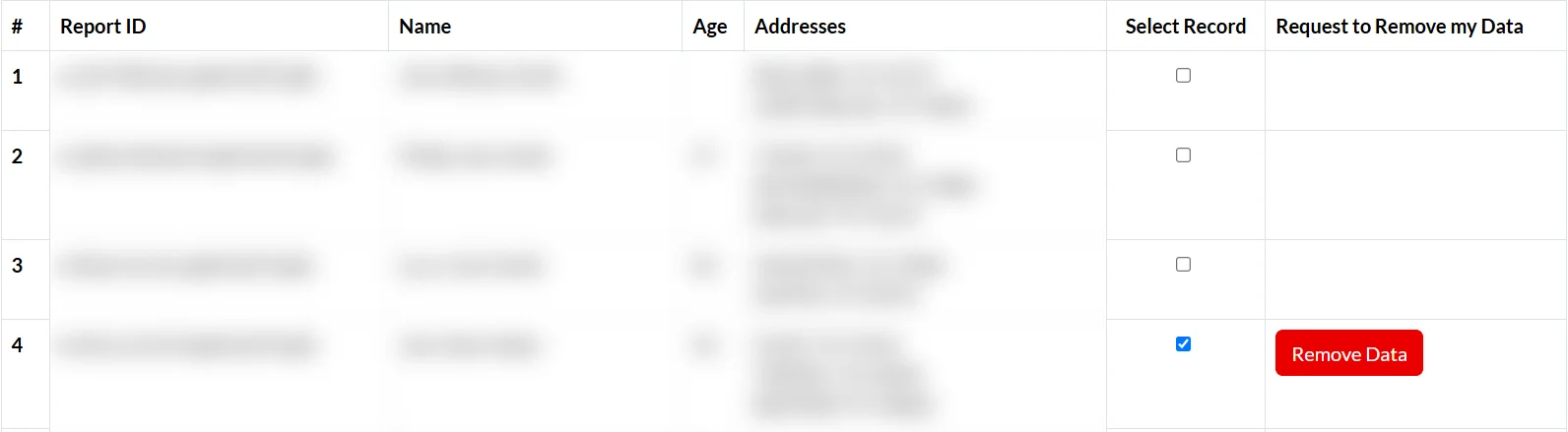
People-search sites often have several records for the same person, created from different public records. InfoTracer's form removes only the records you select, so it's worth searching more than once:
- Search with All States, or with each state where you've lived
- Try your name with and without a middle name, plus maiden names and previous married names
- Leave the City field empty, so you don't miss records listed under a nearby town
New public records can create new results later. InfoTracer recommends checking about once a year and sending a new request if your information has reappeared.
What the InfoTracer Opt-Out Doesn't Remove
- Public records. Court, arrest, property, and other records stay with the government offices that publish them. The opt-out only removes InfoTracer's copy from its search results.
- Expunged or sealed records. InfoTracer says these can still appear because it collects data from public sources. Email
[email protected]with the subject line "Attention Expungement Records" if one shows up. - Other people-search sites. InfoTracer's own FAQ says the opt-out "only removes your information from our database." Start with the Spokeo, Whitepages, and PrivateRecords opt-outs, then work through the full data broker opt-out guide.
- Search engine copies. Google can keep showing an old InfoTracer page for a while. Once the record is gone from the site, you can speed things up with Google's Remove Outdated Content tool.
- Your paid account. If you subscribe to InfoTracer, cancel it separately: use the Contact Us form and choose "Account Cancellation," or call (800) 791-1427.
If Something Goes Wrong
| Problem | What to Do |
|---|---|
| You can't find a removal form | You're on the Opt Out (Your Privacy Choices) page. Use Do Not Sell / Share My Personal Information in the footer instead. |
| The page says the site isn't available in your location | InfoTracer blocks visitors from outside the US. If you're traveling or connected to a VPN server in another country, switch to a US connection. |
| Nothing happens when you click Submit or Remove Data | Wait for the Cloudflare check to show a green checkmark first. If it keeps failing, turn off ad blockers or strict tracking protection for the page, or try another browser. |
| Your record isn't in the results | Try All States, leave the city empty, and search for name variations. If it still isn't there, contact InfoTracer's compliance team at [email protected] or 844-777-0503 (8 a.m.–6 p.m. Eastern, 7 days a week). |
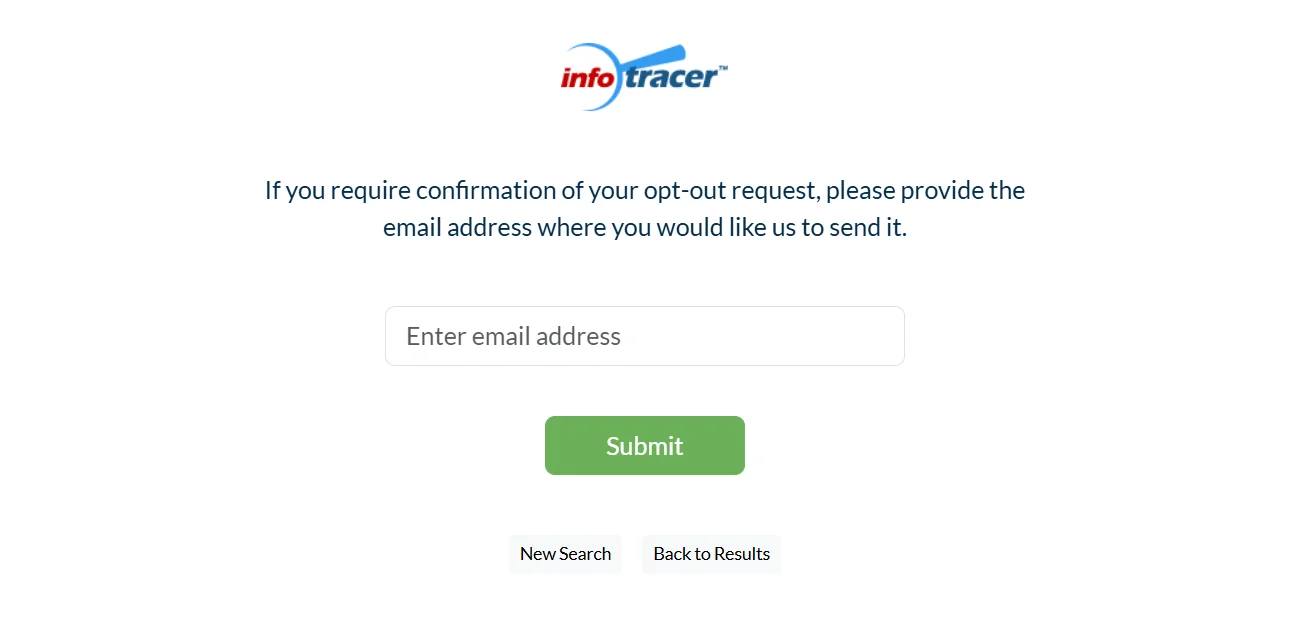
| No confirmation email within 15 days | Check your spam folder, then email [email protected] with your name, state, and the date you submitted, and ask whether the removal is complete. |
| Your privacy law request was denied | Residents of California, Colorado, Connecticut, Delaware, Indiana, Iowa, Kentucky, Maryland, Minnesota, Montana, Nebraska, New Hampshire, New Jersey, Oregon, Rhode Island, Tennessee, Texas, Utah, and Virginia can appeal by emailing [email protected]. |
Your Other Privacy Rights With InfoTracer
InfoTracer's Your Privacy Choices page and privacy policy list a few more options:
- Judges, prosecutors, and law enforcement. Under the Daniel Anderl Judicial Security and Privacy Act and similar state laws, covered persons and their household members can email
[email protected]with the subject line "Attention Covered Person Removal Request," including their full name, residence, email address, and covered status. - State privacy law requests. Residents of the 19 states listed above can ask InfoTracer to access, correct, or delete their information through the TrustArc Privacy Rights Form, by emailing
[email protected], or by calling (800) 791-1427. InfoTracer says it responds within 45 days. - Authorized agents. Someone else can opt out for you, but InfoTracer may ask for your written permission and may ask you to verify your identity directly.
For calendar year 2025, InfoTracer's parent company InfoPay reports 29,004 deletion requests from Californians, of which it complied with 28,683 and denied 321.
Live in California? The state's free DROP platform sends one deletion request to every registered data broker at once. Do it in addition to the InfoTracer opt-out, not instead of it.
After InfoTracer: Where to Opt Out Next
InfoTracer is only one site. If you want your address off the first page of Google, these are the next ones to tackle:
- Spokeo — email link, 24–48 hours
- ThatsThem — one form, no verification link, typically 72 hours
- Whitepages — phone call, up to 72 hours
- PrivateRecords — email link, up to 45 days
- Nuwber — email link, up to 48 hours
- MyLife — email code, median 5 days
- TruePeopleSearch and FastPeopleSearch — same email-link process, up to 3 days
- PeopleConnect Suppression Center — one request covers Intelius, Instant Checkmate, TruthFinder, and US Search
- BeenVerified — email link, about 24 hours
- PeopleFinders — email link, up to 3 days
- CyberBackgroundChecks — email link, up to 3 days
- FamilyTreeNow — same steps as TruePeopleSearch, up to 3 days
To see what your IP address and internet provider already reveal, run the free Data Broker Exposure Report. It's also worth checking whether your email has shown up in a data breach — breached data is another common source for people-search profiles.
Don't Want to Repeat This Every Few Months?
The free form works, but InfoTracer isn't the only site, and new records can bring your listing back. Paid removal services check people-search sites for you and keep re-submitting opt-outs. If that's worth it to you, see the comparison of Optery, Incogni, and DeleteMe — what each one covers and what it costs.
Frequently Asked Questions
Is the InfoTracer opt-out free?
Where is the InfoTracer opt-out form?
How long does it take to be removed from InfoTracer?
[email protected].