
How to Opt Out of Spokeo (2026)
Remove your Spokeo listing for free in about five minutes — no account, no ID
Updated
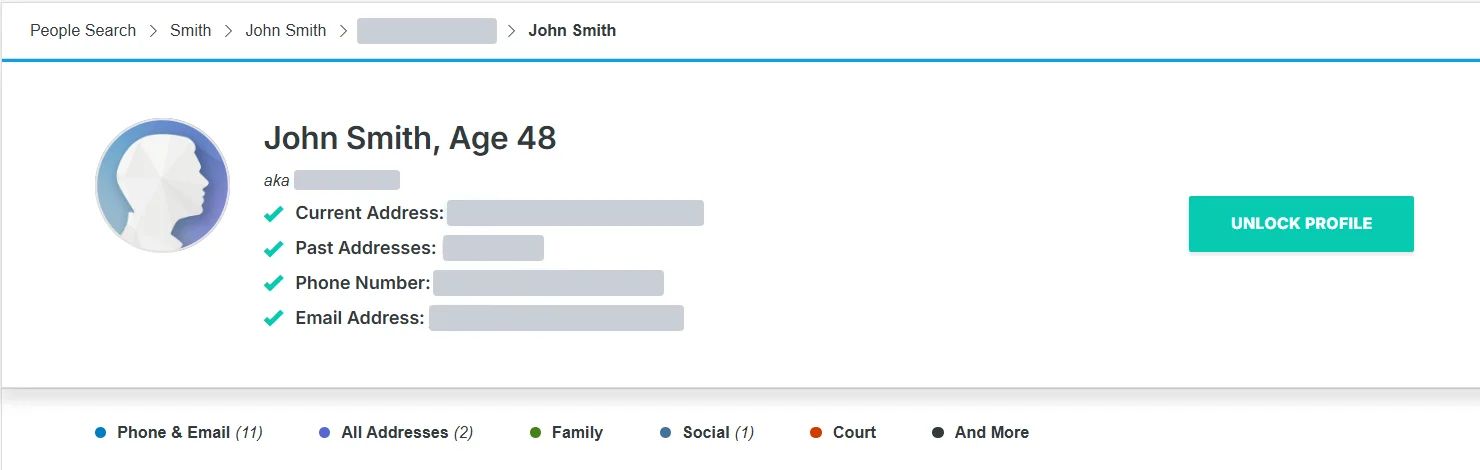
Spokeo is one of the biggest people-search sites in the US. When I searched a common name, the free profile page — before any "Unlock Profile" paywall — already showed the person's age, current street and city, past addresses, part of a phone number and email address, and links to family members. Anyone can see that much without paying.
The good news: Spokeo has a free opt-out form, and it's one of the simpler ones. In 2025 alone, Spokeo says its removal tool received 1,682,854 requests and denied just 6,949 of them. Here's exactly how to do it.
Spokeo Opt-Out at a Glance
Opt out ofSpokeoHow to Remove Yourself From Spokeo, Step by Step
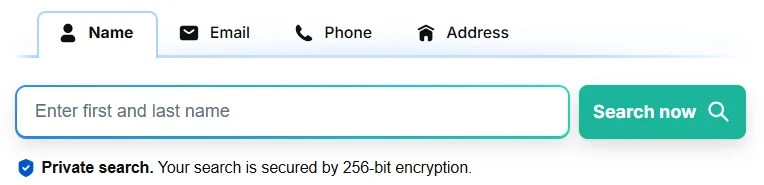
https://www.spokeo.com/Smith-Sample/Houston/TX/p12345678. You don't need to pay or click "Unlock Profile" — the free page has the URL you need.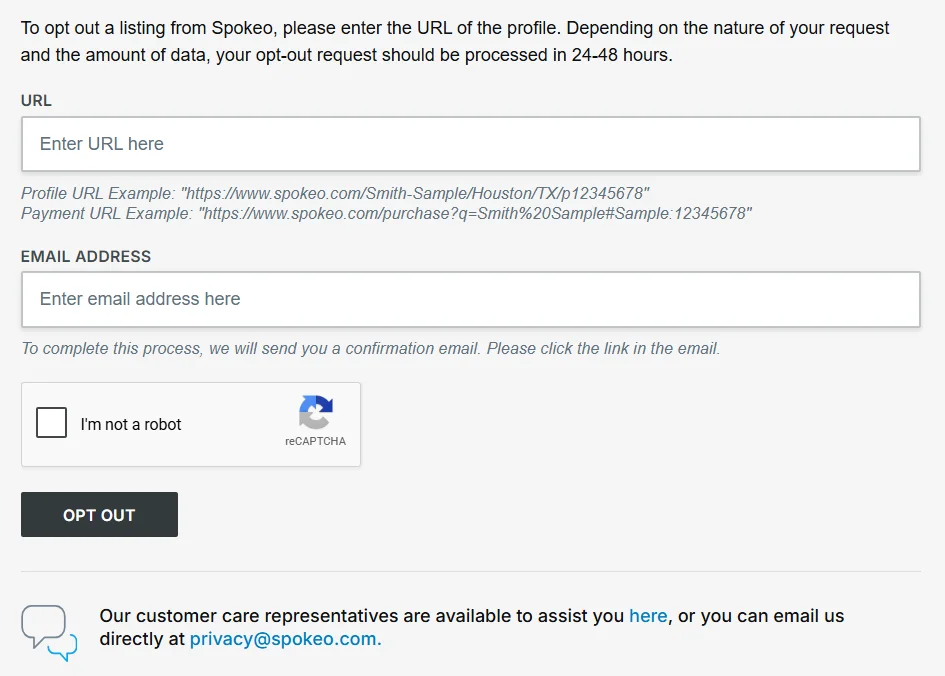
Tip: Use a separate email address or an email alias for opt-outs. The form needs a working inbox for the confirmation link, but there's no reason to hand a people-search site your main address.
You Probably Have More Than One Listing
Spokeo's opt-out hides only the specific listing you submit. Each listing has its own URL, and many people have several — one for each name variant or set of addresses. Search for:
- Your name with and without your middle name or initial
- Maiden names and previous married names
- Every state you've lived in — Spokeo groups listings by location
- Your email addresses, phone numbers, and past home addresses — use the Email, Phone, and Address tabs
Submit a separate opt-out for every listing you find. Spokeo also says that because its records are updated regularly, your information may show up in a different or new listing later. That's why it's worth searching again every three to six months.
What the Spokeo Opt-Out Doesn't Remove
- The original sources. Spokeo builds listings from public records and third-party data. Opting out hides your Spokeo listing, but the property, voter, and court records it came from stay where they are.
- ThatsThem. ThatsThem.com is covered by Spokeo's privacy policy, but Spokeo's removal tool explicitly excludes it. Use thatsthem.com/optout separately — see the ThatsThem opt-out guide.
- Court records. Spokeo doesn't hide court records on request. The only exception is an Order of Expunction or Sealing — email a copy to
[email protected], and Spokeo will limit only the records the order names. - Other people-search sites. Whitepages, BeenVerified, Intelius, and dozens of others have their own copies of your data. See the full data broker opt-out guide for every link.
- Google's cached copy. Search results can show the old Spokeo page for a while. Once the listing is gone, use Google's Remove Outdated Content tool.
If Something Goes Wrong
| Problem | What to Do |
|---|---|
| No confirmation email | Check spam and promotions folders, then submit the form again. Make sure you typed the email address correctly. |
| Listing still visible after 48 hours | Clear your browser cache or open Spokeo in a private window. If it's still there, email [email protected] — the address Spokeo lists under its opt-out form — with the listing URL. |
| The form says the URL is invalid | Copy the URL from the listing page itself, not from a search results page. It should end in a profile ID such as /p12345678. |
| Your listing came back | It's usually a new listing built from new records, with a different URL. Opt out of the new URL the same way. |
| You can't find yourself at all | Try older addresses, other states, or a phone number search. If nothing turns up, you may simply not have a Spokeo listing — but check the other big sites anyway. |
Your Other Privacy Rights With Spokeo
The opt-out form is the fastest way to hide a listing. Spokeo's privacy policy also lists a few other options:
- Find out what Spokeo has on you. You can ask what public information Spokeo shows about you at spokeo.com/privacy/control or by calling 1 (877) 864-0183 during business hours.
- Appeal a denied request. Residents of Colorado, Connecticut, Delaware, Iowa, Minnesota, Montana, Nebraska, New Hampshire, New Jersey, Oregon, Tennessee, Texas, and Virginia can appeal a denied privacy request by emailing
[email protected]. - Washington cell phone numbers. Washington residents can ask Spokeo to remove their Washington cell number from reverse phone search by emailing
[email protected]. - Judges, police officers, and other covered persons. Some state laws let judges, law enforcement officers, prosecutors, public defenders, and elected officials limit what's shown about them. Email
[email protected]with the law that applies, proof that you're covered, and a screenshot of the record.
Live in California? The state's free DROP platform sends one deletion request to every registered data broker at once. Do it in addition to the Spokeo opt-out, not instead of it.
After Spokeo: Where to Opt Out Next
Spokeo is only one site. If you want your address off the first page of Google, these are the next ones to tackle:
- ThatsThem — also run by Spokeo, separate form, typically 72 hours
- Whitepages — verifies by phone call
- PrivateRecords — email link, up to 45 days
- InfoTracer — no verification, 24–48 hours
- Nuwber — email link, up to 48 hours
- MyLife — email code, median 5 days
- TruePeopleSearch and FastPeopleSearch — same email-link process, up to 3 days
- PeopleConnect Suppression Center — one request covers Intelius, Instant Checkmate, TruthFinder, and US Search
- BeenVerified — email link, about 24 hours
- PeopleFinders — email link, up to 3 days
- CyberBackgroundChecks — email link, up to 3 days
- FamilyTreeNow — same steps as TruePeopleSearch, up to 3 days
To see what your IP address and internet provider already reveal, run the free Data Broker Exposure Report. It's also worth checking whether your email has shown up in a data breach — breached data is another common source for people-search profiles.
Don't Want to Repeat This Every Few Months?
The free form works, but Spokeo isn't the only site, and listings come back. Paid removal services check people-search sites for you and keep re-submitting opt-outs. If that's worth it to you, see the comparison of Optery, Incogni, and DeleteMe — what each one covers and what it costs.
Frequently Asked Questions
Is the Spokeo opt-out free?
How long does it take to remove yourself from Spokeo?
Why is my information back on Spokeo after I opted out?
Does opting out of Spokeo remove me from Google?
Does the Spokeo opt-out also remove me from ThatsThem?
Can Spokeo remove court records about me?
[email protected], and it only hides the records named in that order.